
Move files and folders from a pool to another one (more complex than I thought)
Ok.
So I have this situation.
I use Freenas with 2 pools.
- One for my media and files
- Other one for downloading legitimate torrent files
I use a software I don't recall the name (call it thing*daar) to handle the search and download of the torrent files. It download them using a torrent client (Transmission) and copy them when finish to the pool where the files are.
But that make no real sense since it needs to copy the file so I have it twice and that I cannot use symlinks because NFS does not allow this in 2 separate pools.
As backup of those two pools, I use syncthing that sunc those 2 "folders" into another NAS (based on openmediavault and a RPI4).
So I need to plan the move carefully
- Stop syncthing to sync for a while
- Move the files from pool A to pool B to have this folder structure:
Before:
\_POOL_A
\_Download
\_POOL_B
\_Media
After:
\_POOL_B
\_Downloads_A
\_Media - Reconfigure my transmission docker config tthat use NFS to point this new location
Transnmission will be maybe a little confused about this so maybe we will need to re-locate the download if it complains - Do a file cleanup (so remove any duplicate and/or created symlinks from Download_A to Media
- Reconfigure syncthing to only sync 1 folder/pool instead of 2
I guess that I need to list here the different components/vms and how they access the pools
- transmission vm
- nas_ip:/mnt/vol1/pool_a >> /downloads
- rancher pod thing*daar
- /media >> storage | nfs_media (nas_ip:/mnt/vol1/media)
- synchting freenasyyhkk
- synchting raspberrypie
2023-09-16:
So THIS weekend is THE weekend.
I have decided that this little project should go out of my mind for good :)
Let's start the journey by checking one little thing first: Do we have any space in the POOL_B to copy/move the files? In fact.. do we have enough free space at all??.
Let'S check this:
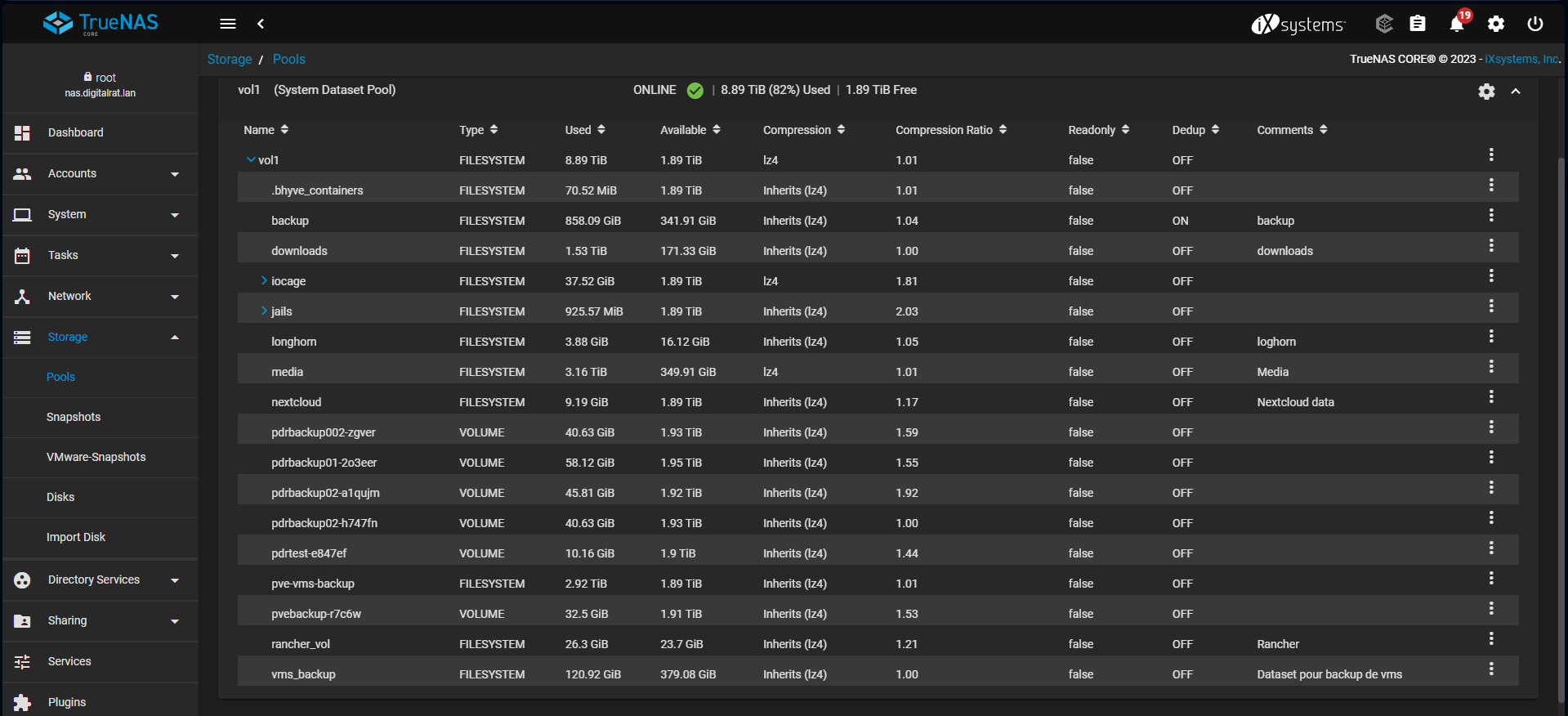
Ouch... 1.8T free and the POOL_A is 1.5T.
...
Well, still I can make it!!! Anyway, as soon as the copy/move is done I can recover the space so that's good.
Now another question is: where I will do the copy command? Like in a screen session on the truenas box? That could make it....
Let's do it!
- First let stop the transmission client so it will not write while we play with this
- Update: We need to PAUSE the syncthing on freenas (setup as a jail) and on my RPI4 because the sync job on the source (by the way, the syncthing setup I use if on way only from the nas to the rpi4 / external usb disc) is configure to take what is in ../media with contain my files and will soon contain the download folder. So in order to prevent failed analyse job and unnecessary syncs, I will pause this for now.
That part is done in portainer since it got the pod configured there - On the nas:
root@nas[~]# screen root@nas[~]# mkdir /mnt/vol1/media/Media/downloads root@nas[~]# rsync -avPh /mnt/vol1/downloads/* /mnt/vol1/media/Media/downloads/ - Update: I used this command instead because I have received from truenas a warning that if the storage capacity is below 20% it can cause some issues, so instead of copying the files, I have moved them using:
root@nas[~]# rsync --remove-source-files -ah --info=progress2 /mnt/vol1/downloads/* /mnt/vol1/media/Media/downloads - Obviously it's going to take a lot of time but that's fine since only the download part is affected and I do not plan to do any downloads. I will just check if I can exit and reenter the screen session to see if we are in budiness
- Update: Make sure the disc quota is set on the destination pool to something correct of the rsync will stop (requota execeeded)
2023-09-17
Cool! transfet is done and all seems to be ok. Well, I have first to modify the mount options on the truenas server to allow the network/ip from the transmission client to be able to connect to the server. in my case the client is natted so make sure you put in the server mount's option for the networks/ips allowed the address seen by the server and not the clien'ts ip (if you are natted).
I have modified the fstab entry in the client to point to the correct path (I have allowed the alldirs options on the truenas share side) and then restarted the box. Then the transmission client seems to be ok and all the sharing are green/working.
Nice! One big step done!
- I have made a test to create an hardlink (not a synlink like ln -s) and was able to access in the media/folder/<link> the file that is in download/torrent/<file> so it seems to be a success
- thing*darr is configured to use the hardlink method as a prefered one so we should be good. I will test with a new torrent to see how it goes and iif it is really working,
2023-09-23
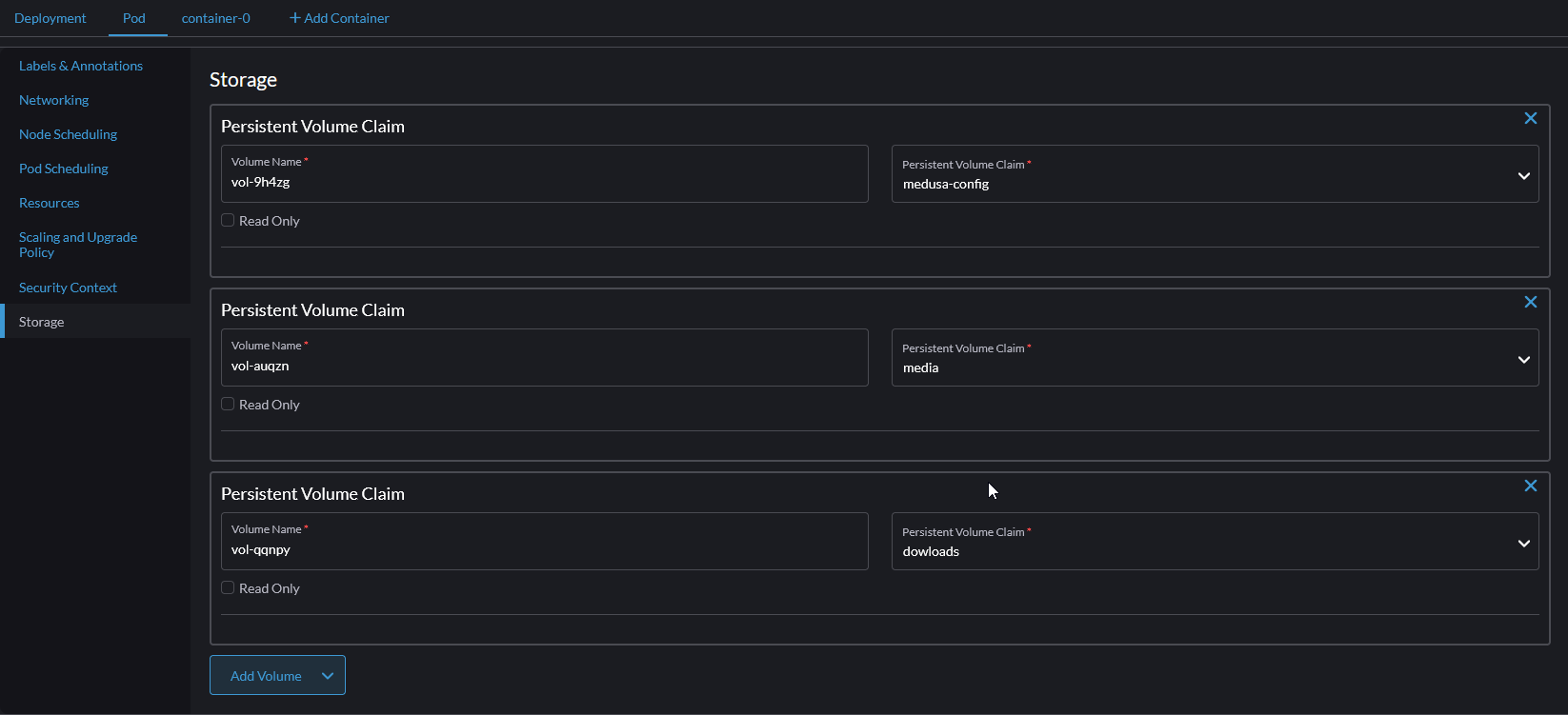
Now there are some seetings that need to be change but on the Rancher side this time. I use Rancher as a K3S/pod management. One of this pod is the application that help me search, organise and download the torrent files. Since it'S a pod (more a less a docker pod) I need to configure the volume mapping.
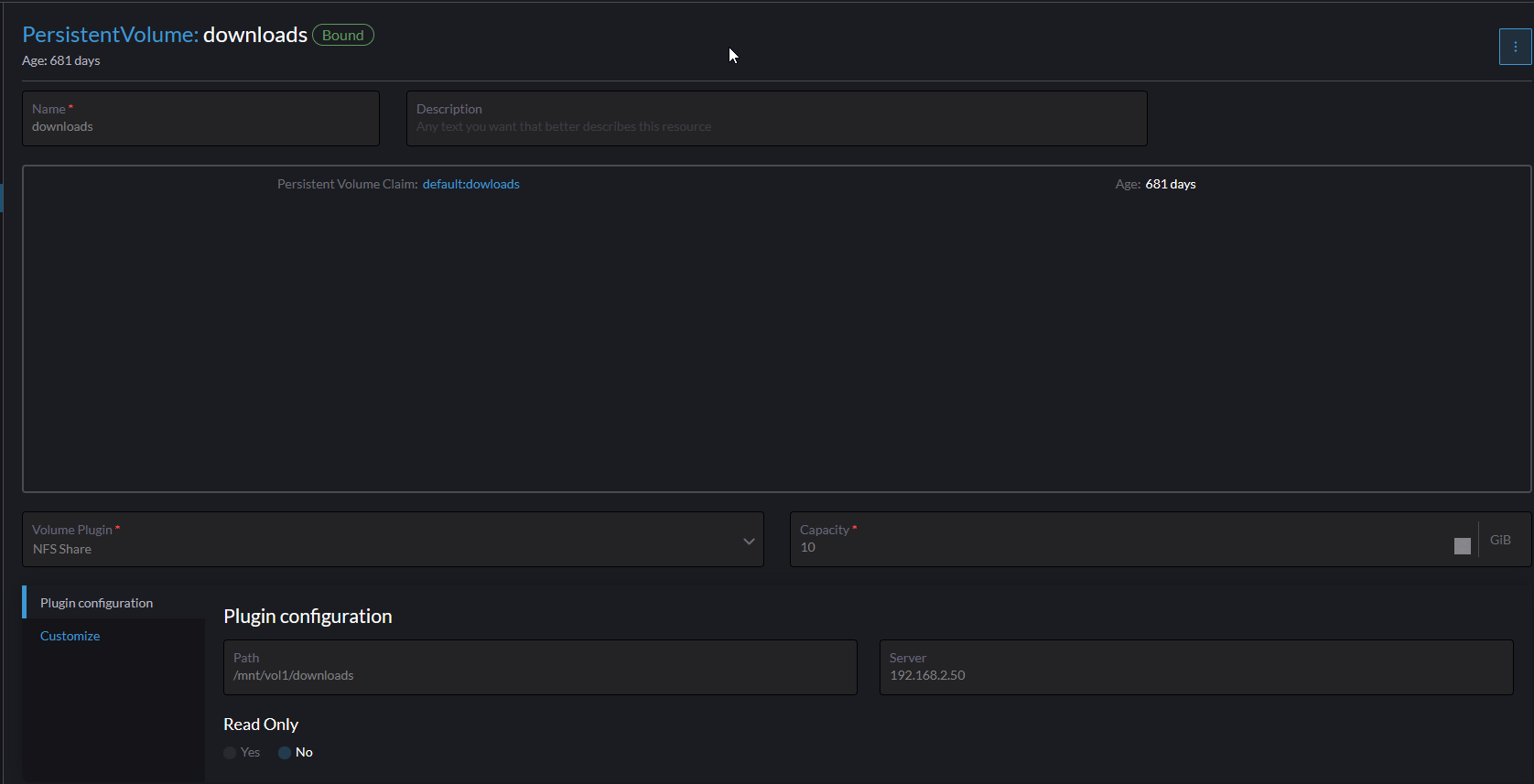
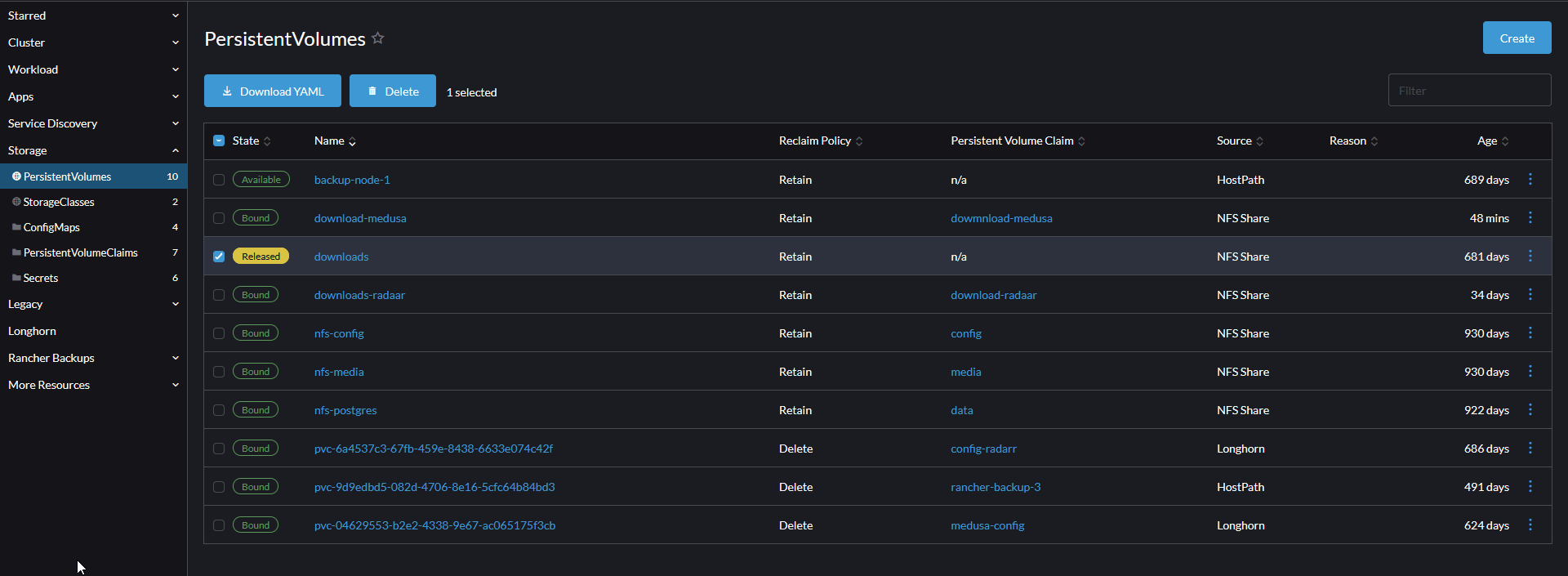
On the Rancher side, I have configure a NFS Storage configuration that looks like this:
- Storage / PersistentVolumes
2023-10-21
Arf... I knew it in advance... I was lazy and have not finished this "project" yet...
Now what is the current situation
Well,
- The pool in the nas is full so I cannot added a single file to it (meaning that I can use any torrent for now)
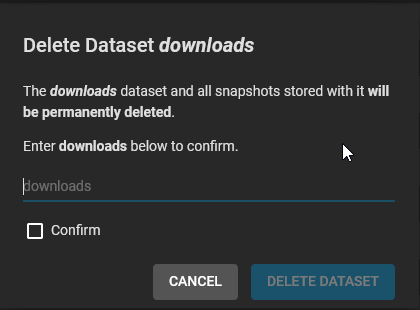
- The previous pool for download is still there but cannot be deleted because truenas keep saying that it's still used
Ok. So, I need fist a little plan:
- Do some cleanup on the files and download fodler because I know there are soime dupplicate files, then
- Finish the remapping of the pods of rancher that still use the old download pool and set a new one
- One of the pod should use another download folder, like "download_2" for another tansmission pod but right now, I cannot even create a folder into the main pool structure
_\pool01
_\file_storage
_\files
_\dowmload
_\dowmload_2
- One of the pod should use another download folder, like "download_2" for another tansmission pod but right now, I cannot even create a folder into the main pool structure
- Make sure any syncthing setup does not use the old pool anymore
- Try to delete the old pool to have some space
Now for the cleanup part, to discover any duplicated files, I use the ideas from that site: https://www.baeldung.com/linux/finding-duplicate-files, and specially this piece of code:
awk -F'/' '{
  f = $NF
  a[f] = f in a? a[f] RS $0 : $0
  b[f]++ }
  END{for(x in b)
        if(b[x]>1)
          printf "Duplicate Filename: %s\n%s\n",x,a[x] }' <(find . -type f -not -links 2)
Now I can safelly delete some duplicate files (remember that I can use now hardlink so I will keep the copy from the download folder and hardlink to the files folder
I can now create my dowmload_2 folder, reconfigure my rancher pod for the NFS part to point to this folder and then do the rancher cleanup.
Note: I have added "-not -links 2" because I do not want to list the files that are already harlinks in the output (meaning, the files that are set correctly between the download folder and the target folder)
2023-10-22
So let's do the easy part with syncthing. On the nas part (the source of the files)
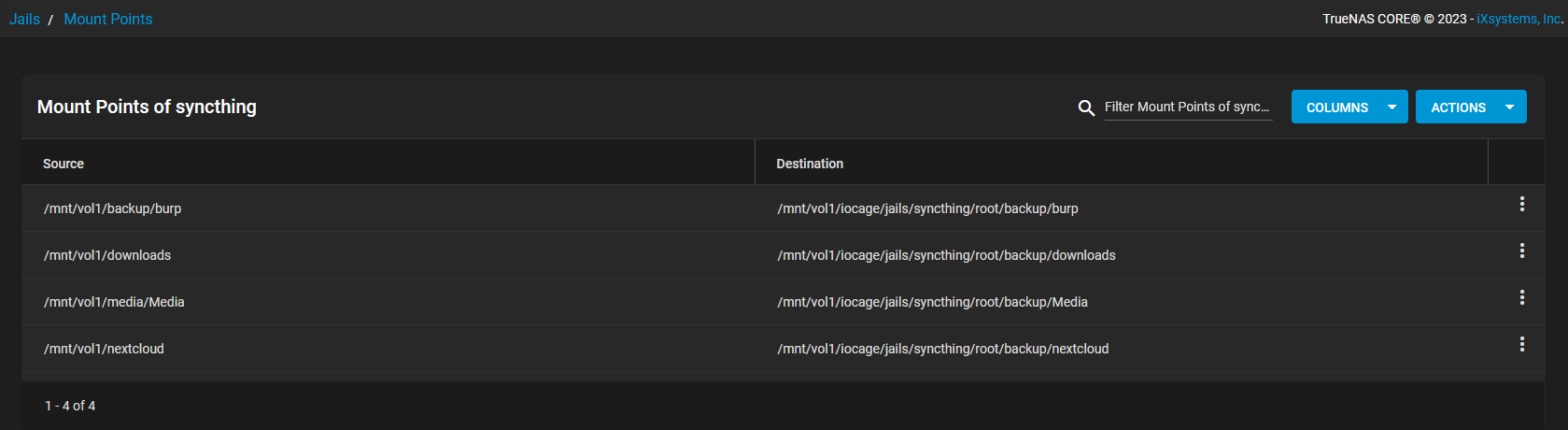

root@nas[~]# mkdir /mnt/vol1/media/Media/downloads_tvshows
root@nas[~]#

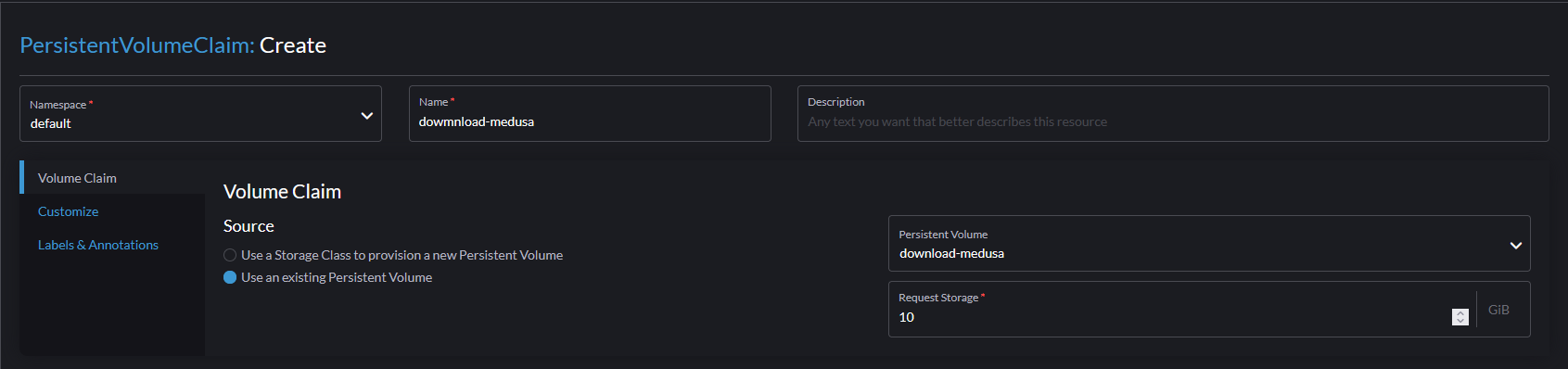
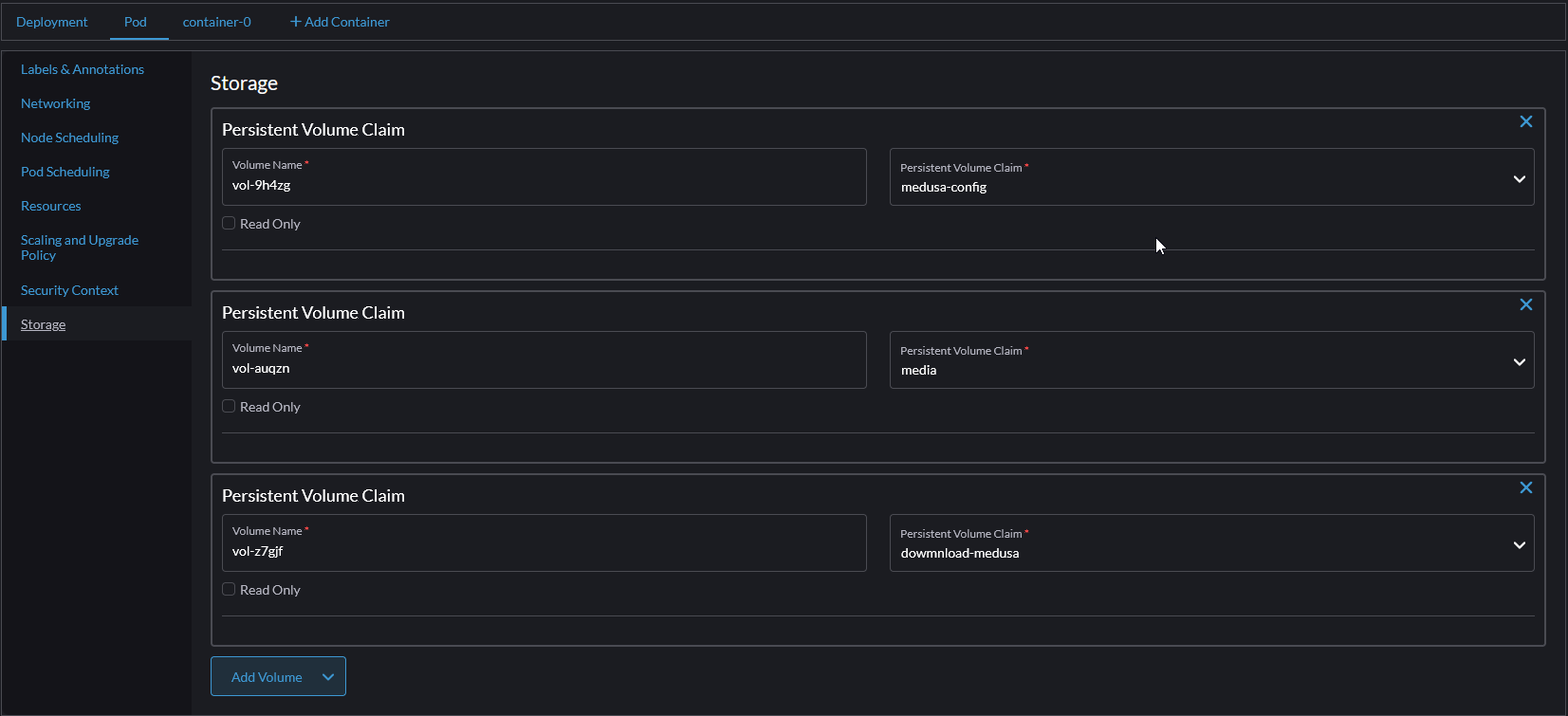
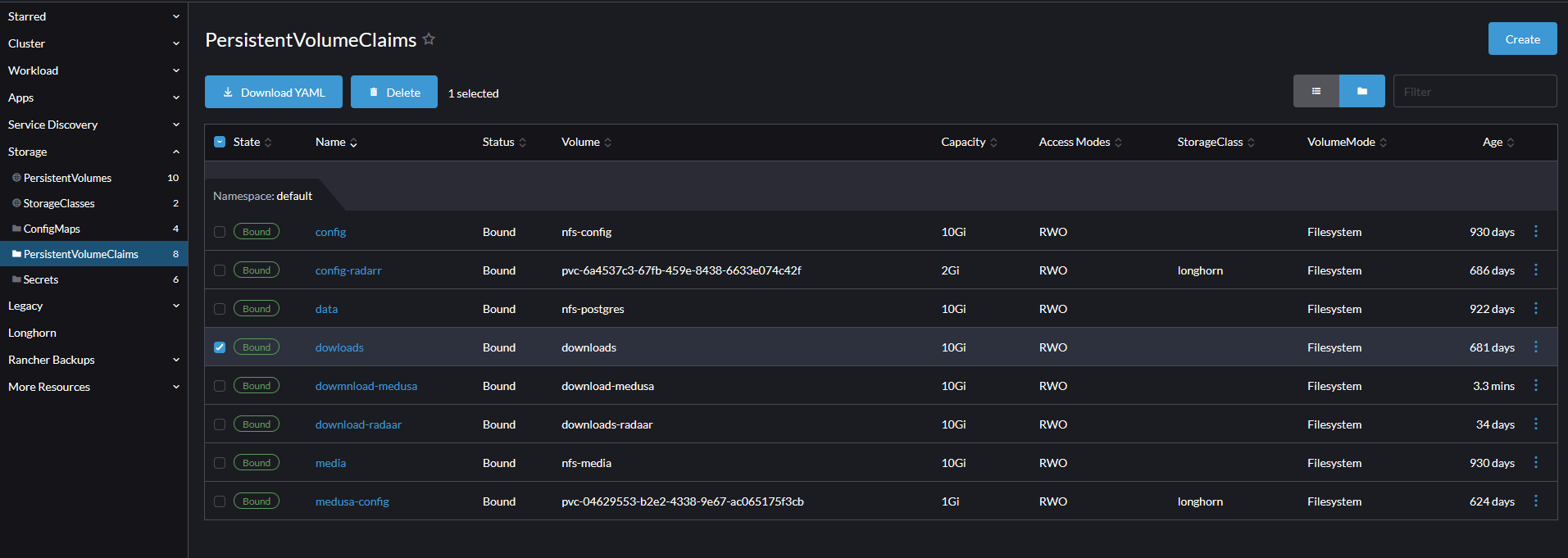
2023-11-12
So, what else I need to do?
Well, I still have the cleanup process to complete. Earlier in this pst, I put a script that can detect and list all deplicate filename. It is very handy to get that list because my "automation" trigger just started and I am thinking "since I have this list, I can use it in order to delete the destination file and instead to hard link!". Yep, that smart, I know. But first I need to validate that all the entries from the ouput are correct.
Luckily, the output, if valid, shoud always looks like this:
Duplicate Filename: the-file.txt
./downloads/complete/the-file.txt
./destination_folder/the-file.txt
it should be like this everytime, everything else could be considered as not correct, So I just the script below to validate those entries in the file output (dup5.txt) from the other script.
#!/bin/bash
SAVEIFS=$IFS
IFS=$'\n'
filename="dup5.txt"


function check () {
        myarray=("$@")

        lin1="Duplicate Filename"
        lin2="./downloads"
        lin3a="./destination_folder"
        len_lin1=${#lin1}
        len_lin2=${#lin2}
        len_lin3a=${#lin3a}

        line1="${myarray[0]}"
        line2="${myarray[1]}"
        line3="${myarray[2]}"
        if [ ${line1:0:${len_lin1}} == "$lin1" ]; then echo "ligne 1 ok";else echo "ligne 1 pas ok at index $((idx -2))";exit;fi
        if [ ${line2:0:${len_lin2}} == "$lin2" ]; then echo "ligne 2 ok";else echo "ligne 2 pas ok at index $((idx -1))";exit;fi
        if [ ${line3:0:${len_lin3a}} == "$lin3a" ]; then echo "ligne 3 ok";else echo "ligne 3 pas ok at index $idx";exit;fi
}

readarray -t lines < "$filename"

let s=0
array=()
for ((idx=0; idx<${#lines[@]}; ++idx)); do
    echo "$idx" "${lines[idx]}"
        if ! [ "$s" -eq 3 ]; then
                array+=(${lines[idx]})
                let s++
        fi
        if [ "$s" -eq 3 ];then
                check "${array[@]}" # ici go function to test the array
                let s=0
                array=()
        fi
done

IFS=$SAVEIFS
Now when I run it I can see the lines in the dup5.txt result file that contain some entries that are not correct. Once I did the cleanup on the files (so removing the files themself if needed and/or removing the entries in the dup5.txt file in case the file name is the same but it is ok), then I can use the same script to delete the destination file and use a hardlink instead.